How to Recognize AI-Generated Phishing Emails: A Complete Guide
AI-powered email scams are becoming harder to detect as cybercriminals create professional, convincing messages that imitate company communication styles and trick people into sharing sensitive information.
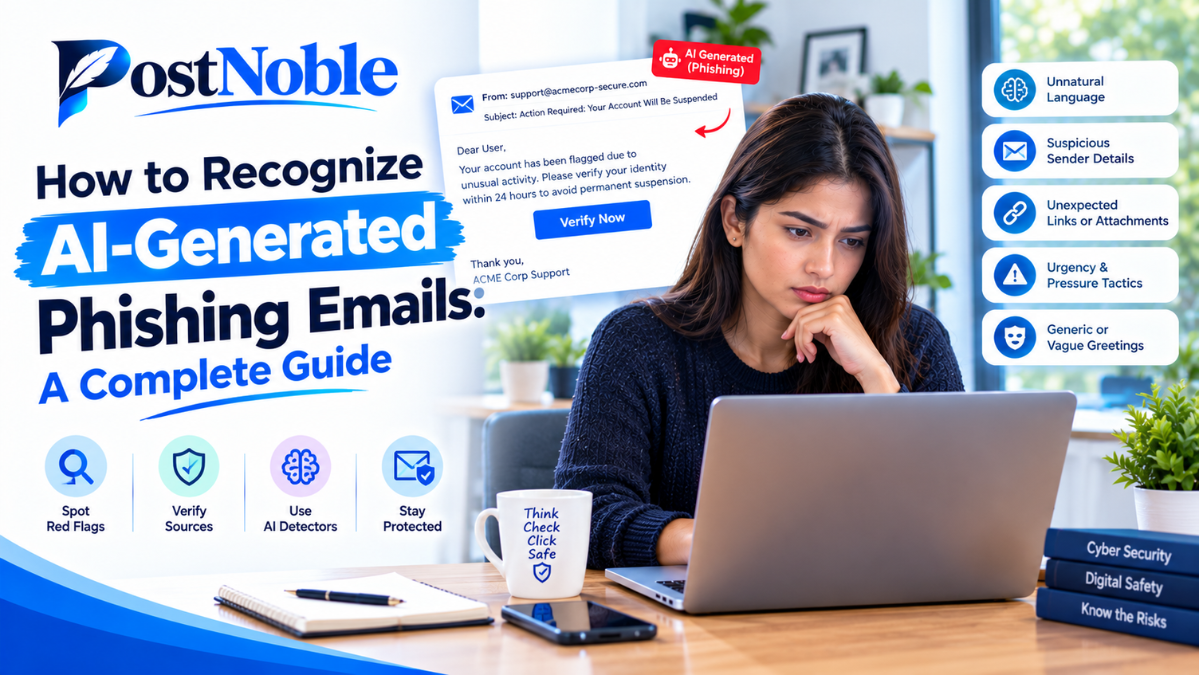
Email scams are becoming more sophisticated, and artificial intelligence is making them harder to recognize. In the past, phishing emails often contained spelling mistakes, awkward sentences, or suspicious formatting. Today, cybercriminals can use AI tools to create professional-looking messages that sound natural, copy a company's communication style, and convince people to share sensitive information.
These messages may look like genuine emails from banks, employers, delivery companies, or trusted business partners. A single careless click can expose passwords, financial details, or confidential business information.
Understanding how to recognize AI-generated phishing emails is becoming an essential digital safety skill for individuals and businesses alike. The good news is that you do not need advanced technical knowledge to protect yourself. By learning a few warning signs and developing safer email habits, you can significantly reduce your risk.
In this guide, PostNoble explains how AI-powered phishing works, how to identify suspicious messages, and what steps you can take to stay safe online.
What Are AI-Generated Phishing Emails?
AI-generated phishing emails are fraudulent messages created or improved with artificial intelligence tools. Cybercriminals use these tools to write convincing messages, personalize their content, imitate professional communication, and sometimes translate scams into different languages.
The purpose remains the same as traditional phishing: to trick someone into revealing sensitive information, clicking a malicious link, downloading an infected attachment, or transferring money.
For example, you might receive an email that appears to come from your company's HR department. It could ask you to review an updated salary document by signing in through a provided link. The message may use your name, mention your department, and sound completely professional. However, the link could lead to a fake login page designed to steal your credentials.
AI does not make every phishing email dangerous by itself. Instead, it helps scammers create more convincing messages at greater speed and scale.
Why Are AI-Powered Email Scams Harder to Detect?
Traditional phishing emails often contained obvious mistakes, generic greetings, or unnatural language. AI tools can help attackers avoid many of these warning signs.
Here are several reasons why these scams can be difficult to identify.
1. Natural and Professional Language
AI can generate grammatically correct messages that resemble normal business communication. An email may include a clear subject line, a polite greeting, and a convincing explanation of why you need to take action.
As a result, relying only on spelling and grammar mistakes is no longer enough.
2. Personalized Messages
Attackers may use publicly available information, leaked data, or information gathered through social media to personalize their emails. A message that refers to your job title, recent project, or business relationship can appear more trustworthy.
3. Urgent and Persuasive Requests
AI can help scammers write messages that create fear, curiosity, or excitement. Common examples include warnings about account suspension, unexpected invoices, missed deliveries, or urgent payment requests.
The goal is to make you react emotionally before checking whether the message is genuine.
4. Imitation of Trusted Organizations
Criminals can use AI to imitate the tone and formatting of familiar brands or organizations. Some may also combine phishing emails with fake websites, manipulated documents, or other social engineering techniques.
Remember that a professional-looking email is not proof that its sender is legitimate.
How to Identify AI Phishing Emails: 7 Warning Signs
Learning how to identify AI phishing emails starts with paying attention to the message's purpose, links, sender details, and requests.
1. Check the Sender's Email Address
Always examine the complete sender address rather than trusting the display name.
For example, an email claiming to come from your bank might display the bank's name but use an unrelated domain or a slightly altered spelling.
Look for:
- Misspelled company or domain names.
- Unexpected email addresses from free email services.
- Domains that contain extra words or unusual characters.
- Addresses that do not match the organization's normal communication practices.
Keep in mind that a familiar-looking address is not a guarantee of safety. Some attackers compromise legitimate accounts to send fraudulent messages.
2. Be Careful With Urgent or Threatening Messages
One of the most common signs of AI-generated phishing attacks is language designed to pressure you into acting immediately.
Examples include messages claiming that your account will be closed within an hour, a payment must be completed immediately, or your manager needs confidential information before a meeting.
Scammers use urgency because it discourages careful thinking.
If an email demands immediate action, pause and verify the request independently. Contact the person or organization through a known phone number, official website, or established communication channel.
3. Inspect Links Before Clicking
A convincing email may contain a link that leads to a fake website. The page might copy the appearance of a genuine login portal and ask you to enter your password or verification code.
Before opening a link, check its destination using your email application's link preview or by carefully inspecting the URL.
Watch for misspelled domains, unexpected subdomains, shortened links, and addresses that do not match the organization's official website.
Do not assume that a link is safe simply because the message looks professional. When in doubt, open the official website directly in your browser instead.
4. Look for Unusual Requests
AI-generated phishing messages can imitate normal conversations, but their requests may still be suspicious.
Be especially cautious if an email asks you to:
- Share your password or one-time verification code.
- Send confidential customer or employee information.
- Change bank details for a supplier.
- Purchase gift cards or transfer money urgently.
- Download an unexpected attachment.
For sensitive requests, verify the details through a separate communication channel before taking action.
5. Notice Unexpected Changes in Tone or Context
AI can produce fluent messages, but attackers may lack the complete context of a real conversation.
An email might refer to a project incorrectly, use an unusual greeting, request information that the sender should already have, or introduce an unexpected payment procedure.
Compare the message with previous communication from the person. If something feels unusual, verify it rather than assuming the email is genuine.
However, do not rely on writing style alone. AI can imitate tone, and legitimate people can also write differently from usual.
6. Treat Unexpected Attachments With Caution
An email may include a document labeled as an invoice, job offer, delivery notice, or meeting schedule. The attachment could contain a malicious file or direct you to a fraudulent login page.
Be cautious with unexpected attachments, especially executable files, password-protected archives, or documents asking you to enable macros or other active content.
If the attachment is supposedly from a colleague, confirm that they actually sent it before opening it. Your organization's security software may also help detect dangerous files.
7. Be Suspicious of Requests That Bypass Normal Procedures
Some phishing attempts target employees who handle payments, payroll, purchasing, or sensitive information.
For instance, a message that appears to come from a senior manager might request an urgent supplier payment while instructing the employee to skip the normal approval process.
Even if the email contains the correct names and business details, follow established verification and authorization procedures. A legitimate request should not require you to ignore essential security controls.
How to Detect AI-Powered Email Scams in Everyday Situations
Knowing the warning signs is useful, but applying them in real situations is even more important.
Consider these examples.
Example 1: A fake bank alert
You receive an email warning that your bank account will be blocked unless you confirm your identity through a link. Instead of clicking, open your bank's official app or website and check for alerts.
Example 2: A suspicious message from your manager
Your manager emails you asking for an urgent payment to a new supplier account. Verify the request through a known phone number or an established internal messaging channel before transferring money.
Example 3: An unexpected job offer
An email congratulates you on getting a job and asks you to download an employment document or pay a processing fee. Check the recruiter's identity, verify the company's official recruitment process, and avoid opening suspicious attachments.
Example 4: A delivery notification
A message claims that a package cannot be delivered until you pay a small fee. Visit the courier's official website and enter your tracking number instead of following the email link.
These examples show why independent verification is often more reliable than judging an email by its appearance.
Best Practices to Protect Yourself From AI-Generated Phishing Attacks
Recognizing suspicious emails is only one part of cybersecurity. The following practices can help you build stronger protection.
Use Multi-Factor Authentication
Enable multi-factor authentication (MFA) on your email, banking, and other important accounts. Where available, use passkeys or phishing-resistant authentication methods.
MFA adds another layer of security, although some phishing attacks can still steal authentication sessions or trick users into approving fraudulent sign-ins.
Keep Your Software Updated
Install updates for your operating system, browser, email application, and security tools. Updates often fix vulnerabilities that attackers could otherwise exploit.
Use Strong, Unique Passwords
Avoid reusing the same password across multiple websites. A password manager can help you create and store unique passwords securely.
If you enter your password on a suspicious website, change it immediately through the legitimate service and review your account's security settings.
Enable Email Security Features
Use available spam filters, phishing protection, attachment scanning, and suspicious-link detection. Businesses can also consider email authentication technologies such as SPF, DKIM, and DMARC to help protect their domains from certain types of spoofing.
These technologies are valuable, but they do not eliminate every phishing threat.
Train Employees to Recognize Suspicious Emails
Businesses should regularly educate employees about phishing, impersonation, payment fraud, and safe handling of sensitive information.
Training should include realistic examples of AI-generated messages and clear instructions for reporting suspicious emails without fear of blame.
What Should You Do If You Receive a Suspicious Email?
If an email seems suspicious, do not click its links, download its attachments, reply with sensitive information, or follow its payment instructions.
Instead, follow these steps:
- Verify the sender: Check the full email address and confirm the request through a trusted channel.
- Report the message: Use your email provider's phishing-reporting feature or follow your organization's security procedures.
- Delete or quarantine it: Follow the appropriate reporting process before removing the message.
- Secure your account if necessary: If you clicked a link or shared credentials, change your password using the official website, review active sessions, and notify your IT or security team.
- Act quickly after financial loss: Contact your bank or payment provider immediately if you transferred money or shared financial information.
If you entered a one-time code or approved an unexpected sign-in, contact the relevant service promptly and review your account activity.
Final Thoughts
AI is changing the way phishing emails are created, making fraudulent messages more polished, personalized, and persuasive. However, the basic warning signs remain important: suspicious links, unexpected requests, unusual payment instructions, and pressure to act without verification.
The most effective way to recognize AI-generated phishing emails is to combine careful observation with independent verification. Never assume that correct grammar, familiar names, or professional formatting prove that an email is safe.
For individuals and businesses, developing these habits can help prevent stolen credentials, financial losses, and data breaches.
At PostNoble, we believe that better digital awareness begins with practical knowledge. By staying informed, using appropriate security tools, and taking a moment to verify unexpected requests, you can make smarter decisions and reduce your exposure to AI-powered email scams.