
Online Gaming on Mobile vs. Desktop: Features and Performance Compared
Explore mobile vs desktop gaming and compare graphics, performance, controls, convenience, and features. Discover whether mobile gaming or PC gaming is the better choice for your gaming style.
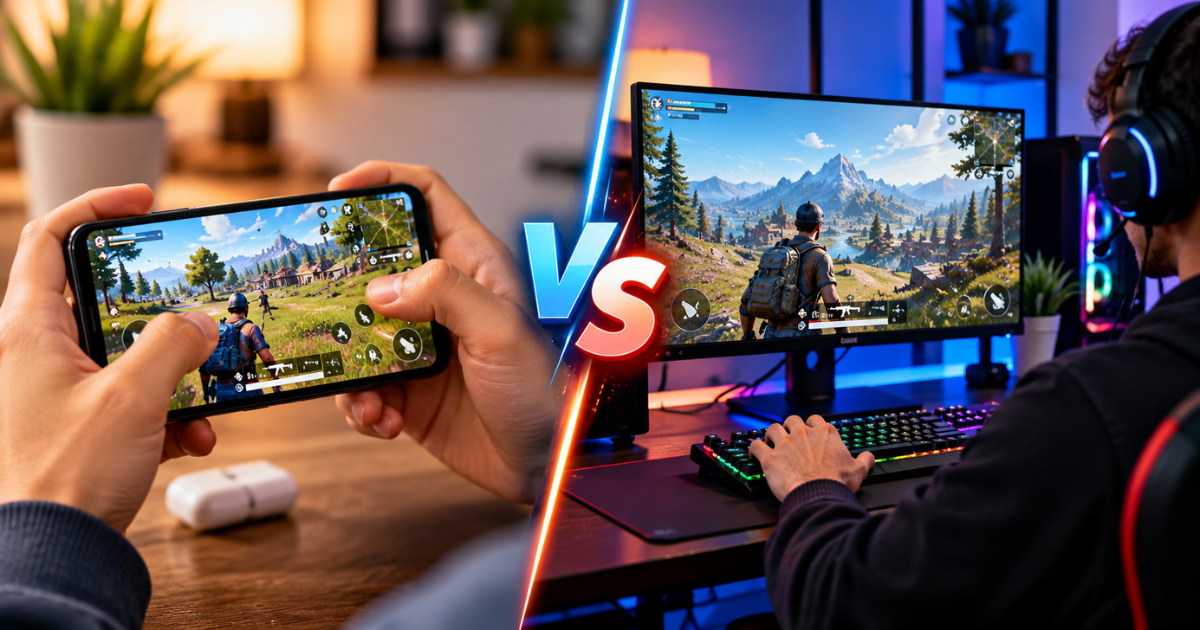
Online gaming has become a popular way to relax, compete with friends, and explore exciting virtual worlds. From quick puzzle games to competitive multiplayer matches, players now have more options than ever before. However, one question often comes up when choosing a gaming platform: is it better to play on a mobile phone or a desktop computer?
The answer depends on what you enjoy, how much you want to spend, and the type of gaming experience you expect. Mobile devices offer convenience and portability, while desktop computers provide greater customization, powerful hardware options, and more control over gameplay.
Understanding mobile vs desktop gaming can help you choose the platform that fits your lifestyle. Both options have unique advantages, and neither is automatically the best choice for every player.
In this guide, PostNoble compares the essential features, performance factors, costs, and user experiences that influence modern online gaming.
1. Accessibility and Convenience
Convenience is one of the biggest reasons mobile gaming has attracted millions of players. A smartphone allows you to enjoy games almost anywhere, whether you are relaxing at home, waiting for transportation, or taking a short break.
Most mobile games are designed for quick access. Players can open an app, complete a level, or join a multiplayer match without setting up additional equipment. This makes mobile gaming especially appealing to casual players and people with busy schedules.
Desktop gaming requires a more dedicated setup, including a computer, monitor, keyboard, and mouse or controller. Although this arrangement is less portable, it creates a comfortable environment for longer gaming sessions.
For example, someone who enjoys short gaming sessions throughout the day may prefer a smartphone. A player who spends several hours exploring a detailed game world may appreciate a desktop setup.
The key takeaway: Mobile gaming focuses on flexibility, while desktop gaming is better suited to a dedicated gaming environment.
2. Graphics Quality and Visual Experience
Visual quality plays an important role in making games enjoyable. Detailed environments, realistic lighting, smooth animations, and high-resolution textures can make gameplay feel more immersive.
Desktop computers generally have an advantage because they can use powerful graphics cards and larger displays. Depending on the hardware and game, players may enjoy higher resolutions, improved visual effects, and more detailed environments.
Mobile games have also improved significantly. Modern smartphones can run visually impressive titles with realistic character models, attractive environments, and smooth animations. However, graphics settings may be adjusted to suit the phone's hardware and manage heat or battery consumption.
The actual experience depends on the device, game design, display quality, and graphics settings. A powerful gaming phone can deliver impressive visuals, while an older desktop may struggle with demanding games.
For players who prioritize detailed graphics and large-screen immersion, desktop gaming often has the advantage. Those who value attractive visuals in a portable format can find plenty to enjoy on mobile devices.
3. Gaming Performance and Stability
Performance is an essential part of any gaming experience. Slow loading, dropped frames, input delays, or unexpected interruptions can affect enjoyment, especially in competitive matches.
In a gaming performance comparison, desktop computers often stand out because they can accommodate stronger processors, dedicated graphics cards, additional cooling, and more memory. These features can support demanding games and consistent performance when the system is properly configured.
Mobile performance depends heavily on the smartphone's processor, graphics capabilities, available memory, software optimization, and temperature. A modern flagship phone may handle many games smoothly, while an entry-level device may experience slowdowns with graphically demanding titles.
Heat is another consideration. When a phone becomes too hot during an extended session, it may reduce performance to protect its components. Desktop systems generally have more room for cooling solutions, although poorly ventilated computers can also overheat.
Players should remember that hardware is only one part of performance. A stable internet connection, optimized game settings, updated software, and well-maintained equipment can make a noticeable difference on either platform.
4. Controls and Gameplay Precision
Controls can influence everything from comfort to competitive performance. The best control method depends on the game's mechanics and the player's personal preferences.
Mobile devices typically use touchscreen controls, which are intuitive for many casual games. Tapping, swiping, and dragging feel natural in puzzles, card games, strategy titles, and simple action games. Some smartphones also support external controllers.
However, touchscreens may feel less precise when a game requires several simultaneous actions or quick directional movements. Fingers can cover parts of the screen, and virtual buttons may take time to master.
Desktop gaming usually offers a keyboard and mouse, providing precise aiming, customizable shortcuts, and quick access to multiple commands. These controls are particularly useful in many strategy games, simulation titles, and competitive shooters.
Controllers can also be connected to compatible desktop systems, giving players additional flexibility.
Neither control system is universally superior. Touchscreens work well for straightforward interactions, while keyboard-and-mouse combinations can offer greater precision in games designed around them.
5. Battery Life, Power Consumption, and Heat
Power management is an important consideration, particularly for people who play frequently.
Mobile gaming uses a smartphone's battery, and demanding games can drain it quickly. High screen brightness, intensive graphics, background applications, and constant internet use can increase power consumption. Extended sessions may also generate heat, affecting comfort and performance.
Keeping a charger nearby can help, but playing while charging may increase heat on some devices. Lowering graphics settings, reducing brightness, and closing unnecessary applications can help manage battery usage.
Desktop computers do not depend on a built-in battery during normal use, making them suitable for long gaming sessions at a desk. However, gaming desktops can consume considerably more electricity than smartphones, especially when equipped with powerful graphics cards and high-refresh-rate displays.
Players should also consider the cost of running their equipment over time. The electricity used by a desktop depends on its components, workload, and daily gaming hours.
For short sessions and gaming away from home, mobile devices are convenient. For longer sessions where battery limitations are inconvenient, desktop systems can be more practical.
6. Game Selection and Variety
The availability of games is another factor worth considering before choosing a platform.
Mobile gaming includes casual puzzles, racing games, multiplayer battle games, strategy experiences, card games, and many other genres. App stores make discovering and installing games relatively straightforward. Free-to-play options also allow players to explore different titles without making an upfront purchase, although some games include optional in-app purchases.
Desktop platforms provide access to a broad range of experiences, including large open-world adventures, complex simulations, strategy games, competitive esports titles, and independent releases. Players can also benefit from game modifications and community-created content when supported.
Some popular games are available on both platforms, but their controls, graphics, features, and progression systems may differ. Cross-platform support varies by title, so players should check whether they can play with friends using other devices.
When comparing mobile gaming vs PC gaming, it is important to look beyond the number of available titles. Consider whether your favorite genres are supported and whether the version you choose offers the features you actually want.
7. Cost and Overall Value
Budget can strongly influence a player's decision. Mobile gaming often has a lower entry cost because many people already own a smartphone. They can begin playing without buying a separate device or investing in extra accessories.
Nevertheless, high-performance smartphones can be expensive, and some games offer optional purchases, subscriptions, or paid upgrades. Storage limitations may also require players to remove applications or choose devices with more capacity.
Desktop gaming has a wider range of initial costs. A basic computer may be affordable, but a high-performance gaming PC, quality monitor, keyboard, mouse, headset, and other accessories can significantly increase the total investment.
On the other hand, desktop systems may allow individual components to be upgraded over time. Instead of replacing the entire computer, players can sometimes improve performance by upgrading the graphics card, memory, or storage, depending on compatibility.
To assess value, consider the complete cost of ownership rather than the purchase price alone. Think about how often you play, which games you enjoy, whether you need accessories, and how long you expect to use the device.
8. Comfort, Ergonomics, and Longer Sessions
Comfort matters more than many players realize. A gaming setup that feels convenient for ten minutes may become uncomfortable after an hour.
Mobile gaming allows players to change locations easily, but holding a phone for extended periods can cause hand or wrist discomfort. Looking down at a screen for too long may also strain the neck. Using a stand, taking breaks, and maintaining a comfortable posture can help.
Desktop gaming makes it easier to arrange a larger display at eye level and use a suitable chair, keyboard, and mouse. A well-organized desk can support a more comfortable gaming environment.
However, desktop gaming is not automatically healthier. Poor chair support, incorrect monitor height, and long periods without movement can cause discomfort as well.
Regardless of the platform, players should take regular breaks, adjust their seating position, and avoid playing through pain or persistent eye strain.
9. Multiplayer Gaming and Social Features
Online gaming is often more enjoyable when friends can join the experience. Both mobile and desktop platforms support multiplayer gaming, voice communication, leaderboards, and cooperative challenges, although the available features vary between titles.
Mobile games make it easy to invite friends through in-game systems or compatible social features. This accessibility is useful for casual matches and gaming sessions that do not require much preparation.
Desktop games can offer detailed communication tools, community servers, voice chat, and competitive matchmaking. These features may be particularly valuable for organized teams and esports communities.
Cross-platform multiplayer can make it possible for mobile and desktop players to enjoy the same game together. However, some games restrict matchmaking by device or input method to maintain competitive balance.
Before choosing a platform, check whether your friends play the same version of the game and whether cross-play is supported.
10. Which Platform Fits Your Gaming Lifestyle?
The right platform depends on your priorities rather than a universal ranking.
Mobile gaming is a strong option for players who want convenience, simple access, portable entertainment, and flexible gaming sessions. It works particularly well for casual games, short breaks, and people who prefer not to maintain a separate gaming setup.
Desktop gaming is worth considering if you value high-end graphics, precise controls, customizable hardware, and a wide selection of demanding games. It can also be a better fit for players who enjoy long sessions or want a dedicated space for competitive gaming.
Some players benefit from using both. A smartphone can handle casual games while a desktop is reserved for visually demanding titles or competitive matches. This approach provides flexibility without forcing every gaming activity onto one device.
Before making a decision, identify your favorite game genres, establish a realistic budget, and consider where and how often you play. These details will usually tell you more than general claims about which platform is better.
Conclusion
The debate around mobile vs desktop gaming comes down to convenience, performance, comfort, and personal preference. Mobile devices provide portability and easy access, while desktop computers can deliver stronger graphics, more precise controls, and greater hardware flexibility.
Neither platform is the right choice for everyone. Casual players may find that a smartphone offers everything they need, while competitive players and fans of demanding games may prefer a desktop setup. Both can provide enjoyable online experiences when matched with suitable games and reliable internet access.
At PostNoble, we believe that choosing the right gaming platform starts with understanding your own needs. Compare the features that matter most, explore the games you want to play, and choose a setup that fits your budget and lifestyle.
Ultimately, the best gaming device is the one that makes your gaming time enjoyable, comfortable, and worthwhile.