
What Is Zero Trust Security and How Does It Work?
As businesses shift to cloud-based operations and remote work, traditional security methods are no longer enough. Protecting sensitive data across multiple devices, networks, and locations requires stronger, more flexible cybersecurity solutions.
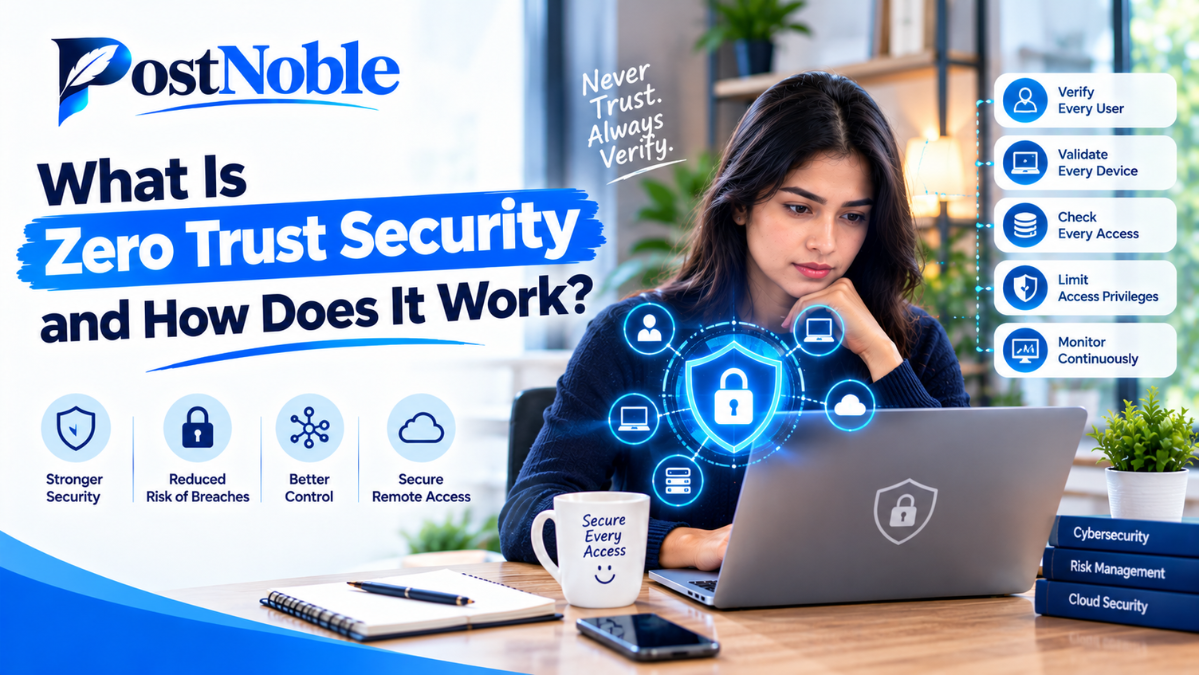
Cybersecurity is becoming more challenging as businesses move their data, applications, and daily operations to the cloud. Employees now work from different locations, use multiple devices, and access company resources through various networks. Traditional security methods that rely on a trusted office network are no longer enough to protect sensitive information.
This is where zero trust security comes in.
Zero trust is a modern cybersecurity approach that requires every user, device, and application to prove that it should have access to a resource. Instead of automatically trusting someone because they are inside a company network, zero trust continuously evaluates access based on identity, permissions, device security, and potential risks.
But what is zero trust security and how does it work in real-world situations? In this guide, PostNoble explains the fundamentals of zero trust, its architecture, key benefits, common challenges, and practical implementation strategies for businesses.
What Is Zero Trust Security?
Zero trust security is a cybersecurity model built around one simple principle: never trust automatically, always verify.
In traditional network security, organizations often focus on protecting the network perimeter. Once a user enters the internal network, that person may receive access to several systems and applications.
However, this approach creates risks. If an attacker steals an employee's password or compromises a device, they may be able to move through the network and access valuable information.
Zero trust takes a different approach. It requires users and devices to meet specific security requirements before access is granted. Access is limited to the resources necessary for a particular task, and permissions can be reviewed or revoked when circumstances change.
For example, imagine an employee wants to access a company's financial records. Under a zero trust model, the system may verify the employee's identity, check whether the device meets security requirements, and confirm that the employee has permission to view those records.
If suspicious activity is detected, access may be restricted or additional verification may be required.
Zero trust does not mean that every user is considered malicious. It means that trust must be supported by evidence rather than assumptions.
How Does Zero Trust Security Work?
Zero trust security works by combining identity verification, access controls, device checks, security monitoring, and automated responses.
Although the exact setup differs between organizations, the process generally follows these steps.
1. Verify User Identity
Every access request begins with identity verification. Organizations commonly use passwords alongside multifactor authentication (MFA), which requires another form of verification, such as an authenticator app or security key.
MFA makes it harder for attackers to access an account using a stolen password alone.
2. Check Device Security
Zero trust evaluates whether the device requesting access meets organizational security requirements.
For example, the system may check whether a laptop has updated software, active endpoint protection, and the required security configuration. A device that fails these checks may be blocked or given limited access.
3. Apply Least-Privilege Access
Users should receive only the permissions they need to perform their jobs.
A marketing employee, for example, may need access to campaign analytics but not payroll records or production servers. Limiting permissions reduces the damage that can occur if an account is compromised.
4. Evaluate Each Access Request
Zero trust does not assume that a previously authenticated user should have unrestricted access to everything.
Access decisions can consider identity, device health, location, requested resource, and unusual behavior. Depending on the organization's policies, a user may need additional verification before accessing sensitive information.
5. Monitor Activity Continuously
Security teams monitor activity for unusual login attempts, unexpected data transfers, suspicious device behavior, and other warning signs.
If a potential threat appears, the organization can block access, require reauthentication, isolate a device, or investigate the incident.
Together, these steps help organizations reduce unauthorized access and limit the impact of cyberattacks.
Zero Trust Security Architecture Explained
Zero trust security architecture explained simply means understanding the systems, policies, and technologies that work together to enforce zero trust principles.
A zero trust architecture is not one software product. It is a coordinated security framework that determines who can access which resources, under what conditions, and for how long.
Its main components include the following.
Identity and Access Management
Identity and access management (IAM) verifies users and controls their permissions. It helps organizations manage employee accounts, enforce authentication requirements, and remove access when someone changes roles or leaves the company.
Multifactor Authentication
MFA adds another layer of protection beyond passwords. Phishing-resistant methods, such as FIDO2 security keys and passkeys, can provide stronger protection against certain credential theft attacks.
Endpoint Security
Endpoint security protects devices such as laptops, desktops, and mobile phones. Device management and endpoint detection tools help organizations identify outdated software, malware, and suspicious activity.
Policy Enforcement
A policy enforcement mechanism allows or denies access based on defined security rules. These decisions may consider user identity, device condition, resource sensitivity, and current risk signals.
Network Segmentation
Network segmentation divides systems into smaller, controlled sections. This makes it more difficult for attackers to move freely between applications, servers, and databases after compromising one system.
Logging and Security Monitoring
Centralized logging and monitoring help security teams identify suspicious behavior and investigate incidents. Security information and event management (SIEM) tools can bring together information from different systems to support threat detection.
When these components work together, organizations can make more informed access decisions and improve their overall security posture.
Key Benefits of Zero Trust Security
Zero trust security offers several benefits for businesses of different sizes.
Reduced Risk of Unauthorized Access
Verifying identities and devices makes it more difficult for unauthorized users to enter sensitive systems.
Better Protection Against Insider Threats
Even legitimate employees may accidentally expose data or misuse their permissions. Least-privilege access helps limit what each account can access.
Improved Cloud Security
Businesses often use cloud platforms, remote applications, and third-party services. Zero trust provides a consistent way to manage access across these environments instead of relying entirely on a traditional office network.
Stronger Remote Work Security
Employees can securely access approved business resources from different locations when their identities, devices, and access requests satisfy organizational policies.
Reduced Impact of Security Breaches
Network segmentation and restricted permissions can help prevent attackers from moving easily between systems after compromising an account or device.
Zero trust cannot eliminate every cybersecurity threat, but it can reduce opportunities for attackers and help organizations respond more effectively.
Zero Trust Security Implementation Best Practices
Successful implementation requires planning, the right technology, and ongoing improvements. Organizations do not need to replace their entire security infrastructure overnight.
The following zero trust security implementation best practices can help businesses get started.
1. Identify Critical Data and Systems
Begin by identifying sensitive information, important applications, business-critical services, and the users who need access to them.
Prioritize systems that contain customer information, financial records, intellectual property, or confidential business data.
2. Strengthen Identity Verification
Enable MFA across important accounts, especially administrator accounts and systems containing sensitive information.
Use centralized identity management where practical, establish clear account policies, and review authentication methods regularly.
3. Apply Least-Privilege Permissions
Review existing access permissions and remove unnecessary privileges. Separate standard employee accounts from administrative accounts, and require stronger controls for high-risk activities.
Access reviews should take place regularly and whenever an employee changes roles.
4. Secure All Devices
Maintain an accurate inventory of devices that access company resources. Enforce security updates, disk encryption, endpoint protection, and appropriate device compliance policies.
Restrict access from devices that do not meet the organization's minimum security requirements.
5. Segment the Network
Separate sensitive systems from general business networks. Limit communication between network segments and allow only the connections required for business operations.
Start with critical applications and expand segmentation gradually to avoid unnecessary disruption.
6. Monitor and Respond to Threats
Collect relevant security logs and establish alerts for suspicious activities, including unusual sign-ins, repeated authentication failures, and unexpected access to sensitive files.
Define response procedures so the security team knows when to block access, investigate an account, or isolate a compromised device.
7. Start Small and Improve Gradually
Choose a manageable pilot project, such as strengthening access to an important cloud application or protecting administrator accounts.
Measure the results, address operational problems, and expand the approach to other systems. Regular testing and employee training can help make the transition smoother.
Common Challenges of Implementing Zero Trust
Although zero trust improves security, implementation can present challenges.
Legacy systems: Older applications may not support modern authentication or device verification. Organizations may need additional controls or a phased modernization plan.
Implementation costs: New security tools, integrations, and staff training can require investment. Prioritizing high-risk systems helps organizations use their resources effectively.
Employee experience: Excessive verification prompts can frustrate employees. Risk-based access policies and single sign-on can help balance security with convenience.
Complexity: Managing multiple security products and policies can become difficult. Clear responsibilities, centralized monitoring, and documented access rules can reduce complexity.
Misconfiguration: Incorrect permissions or poorly designed policies can block legitimate work or leave security gaps. Testing, regular reviews, and controlled rollouts are essential.
The goal is not to introduce as many restrictions as possible. It is to establish effective controls that protect important resources without creating unnecessary obstacles.
Zero Trust Security vs. Traditional Security
The main difference between zero trust and traditional perimeter-based security is how they handle trust and access.
Traditional security often emphasizes protecting the network boundary. Zero trust places greater emphasis on verifying individual access requests and limiting permissions throughout the environment.
Traditional models may still use authentication and internal security controls, so the difference is not absolute. Many organizations combine perimeter defenses with zero trust principles to create a stronger, layered security strategy.
Zero trust also does not require businesses to remove firewalls or abandon virtual private networks (VPNs) immediately. Instead, it encourages organizations to evaluate whether existing controls provide the necessary protection for each resource and access scenario.
Is Zero Trust Security Right for Your Business?
Zero trust can benefit organizations that manage sensitive data, support remote employees, operate cloud applications, or need stronger control over third-party access.
Small businesses can begin with practical measures such as enabling MFA, removing unnecessary permissions, keeping devices updated, and monitoring important accounts. Larger organizations may need a more comprehensive architecture involving identity management, network segmentation, endpoint security, and centralized monitoring.
The best approach depends on the organization's size, existing infrastructure, regulatory obligations, and risk profile.
Rather than treating zero trust as a one-time technology purchase, businesses should view it as an ongoing security strategy that evolves alongside their operations and emerging threats.
Conclusion
Zero trust security provides a practical framework for protecting modern organizations by verifying access, limiting permissions, securing devices, and monitoring activity. It helps address the weaknesses of relying solely on network boundaries, especially as businesses adopt cloud services and remote work.
Understanding what zero trust security is and how it works is the first step toward building a stronger cybersecurity strategy. By following proven implementation practices, starting with critical resources, and improving security policies over time, organizations can reduce risks without unnecessarily disrupting daily operations.
At PostNoble, we believe that understanding modern cybersecurity concepts helps businesses make smarter technology decisions. Whether you are running a small company or managing a growing enterprise, adopting zero trust principles can be a valuable step toward protecting your data, users, and digital infrastructure.
Frequently Asked Questions (FAQs)
1. What is zero trust security in simple terms?
Zero trust security is an approach that verifies users and devices before allowing access to business resources. It does not automatically trust a connection simply because it comes from inside a company network.
2. What are the three main principles of zero trust?
The core principles are to verify explicitly, use least-privilege access, and assume that a breach may occur. Together, these principles guide authentication, permissions, and threat containment.
3. Is zero trust security suitable for small businesses?
Yes. Small businesses can begin by enabling MFA, limiting account permissions, updating devices, and monitoring suspicious activity before investing in more advanced security technologies.
4. Does zero trust replace firewalls and VPNs?
No. Zero trust complements existing security controls. Firewalls and VPNs can still be useful, but organizations should not rely on them alone to determine whether access is safe.
5. How long does zero trust implementation take?
The timeline depends on the organization's size, technology, and security requirements. Basic improvements may be introduced relatively quickly, while a comprehensive implementation can take months or longer.